
Got digital signage? Here's how to make money from it
A digital sign earns money in two ways. You sell the time yourself, or buyers book it through a programmatic marketplace. Whether you own a roadside billboard, lease screens on a building you own, or run a network across many sites, the question is the same: how do you fill more of your loop, and keep advertisers coming back?
My background is in digital out-of-home (DOOH) software, and I now build Playboard, an ad platform for digital signage. This post covers what helps screen owners sell more, a case study on dynamic HTML ads, and how programmatic advertising fits in.
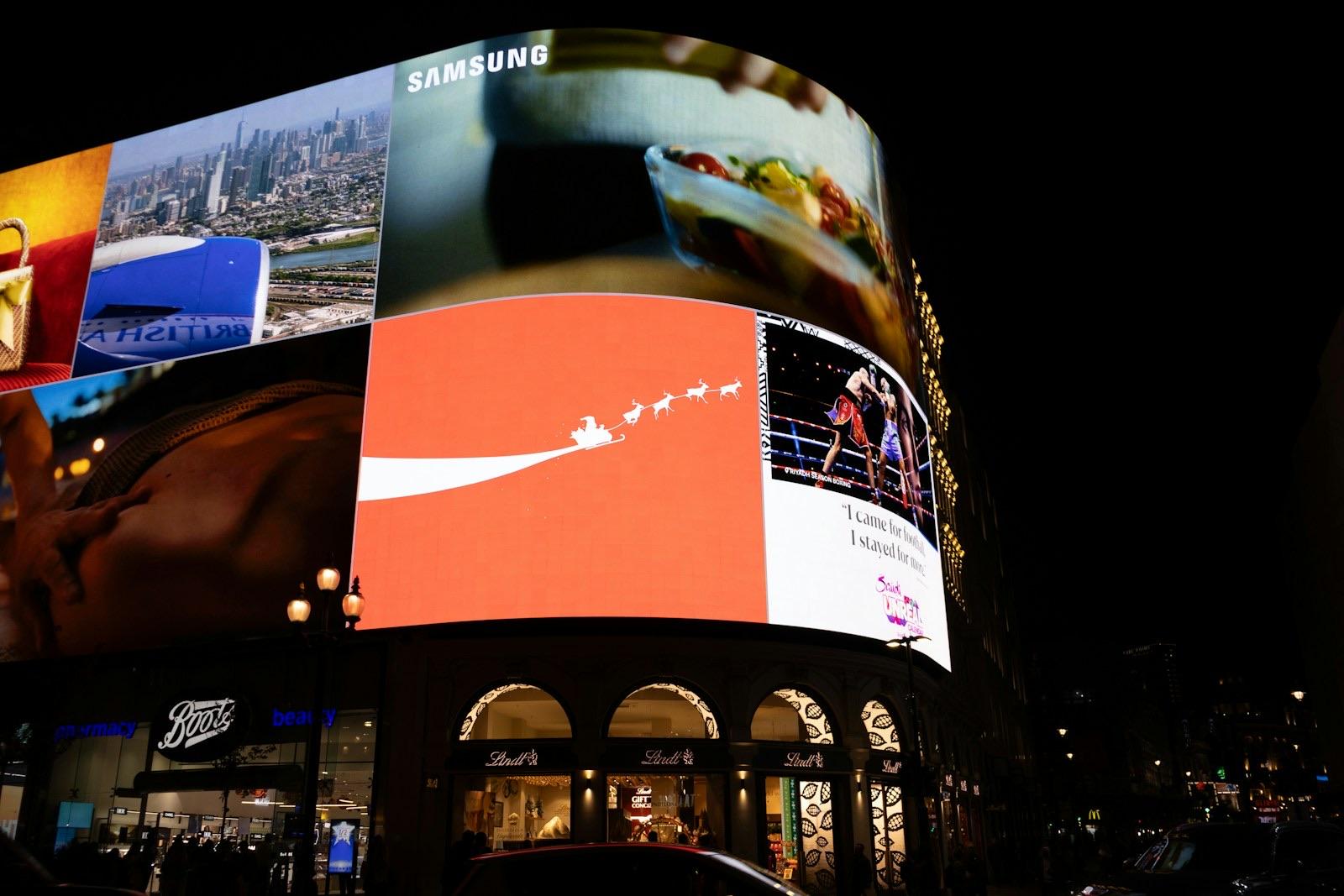
Photo by Tanya Barrow on Unsplash.
Know your inventory
You can't sell space you can't see. Before you talk to an advertiser, you want to know how full each screen is, where the gaps are, and when space opens up.
In Playboard, the Planner shows this for your whole network. It shows the usage of each display, the plays still free today, the displays that are overbooked, and the busiest day ahead. The Coming up list shows the campaigns that start or end in the next 30 days, so you can see a gap before it happens and offer it to someone.
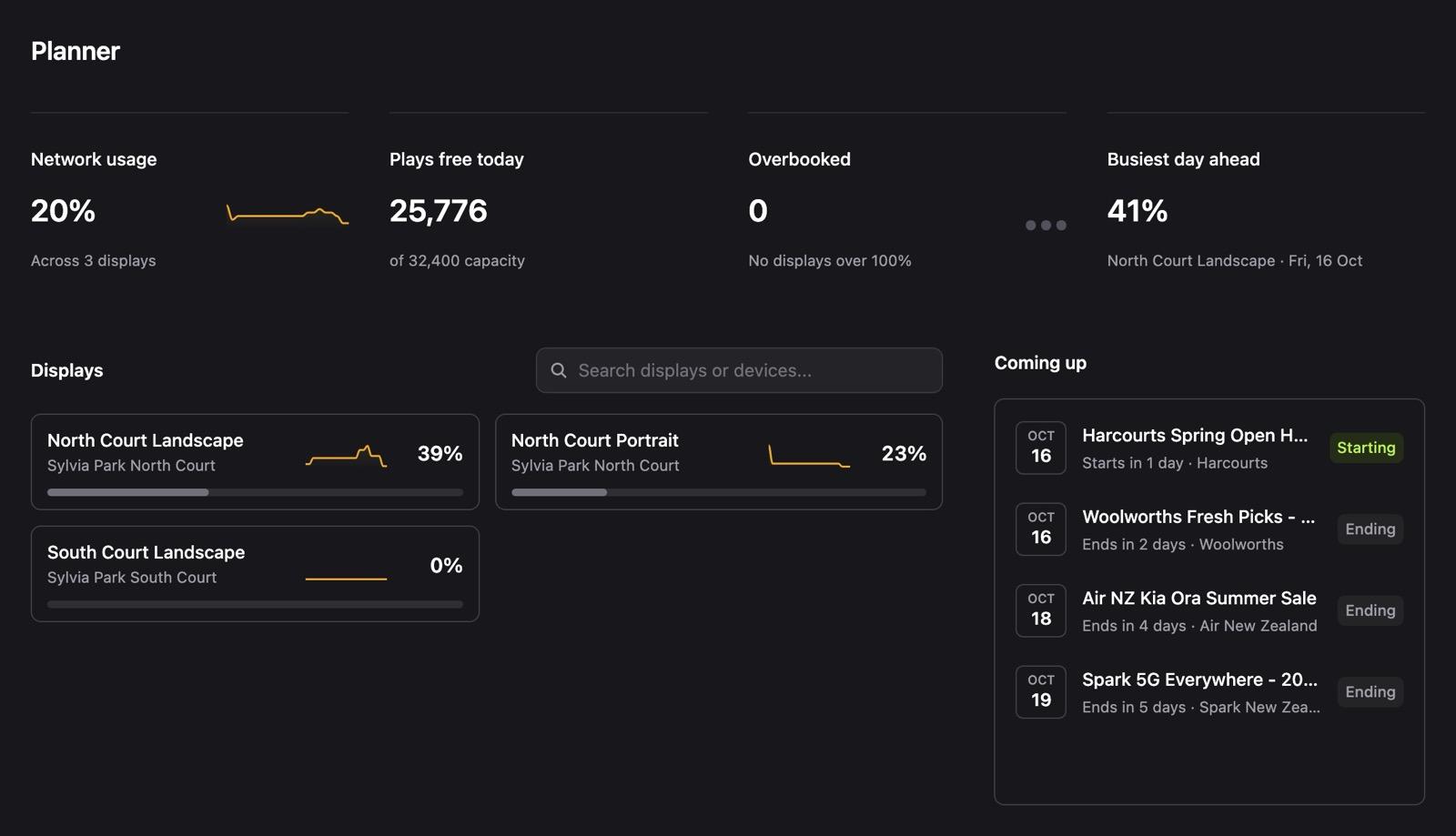
For each display, you can set the frequency of each booking and drag the loop into the order you want. It's useful when you need to keep two competing brands apart, or check a booking before it goes live.
Let advertisers serve themselves
Advertisers book again for a lot of reasons: the location, the price, the results. How easy you are to work with is one of the few you control completely, and the easiest experience is one where the advertiser doesn't have to wait for you.
Once a campaign is live, the questions are simple: is my ad running, how many times has it played, and can I get a report for my boss. If every answer needs an email from you, that's slow for them and a lot of admin for you.
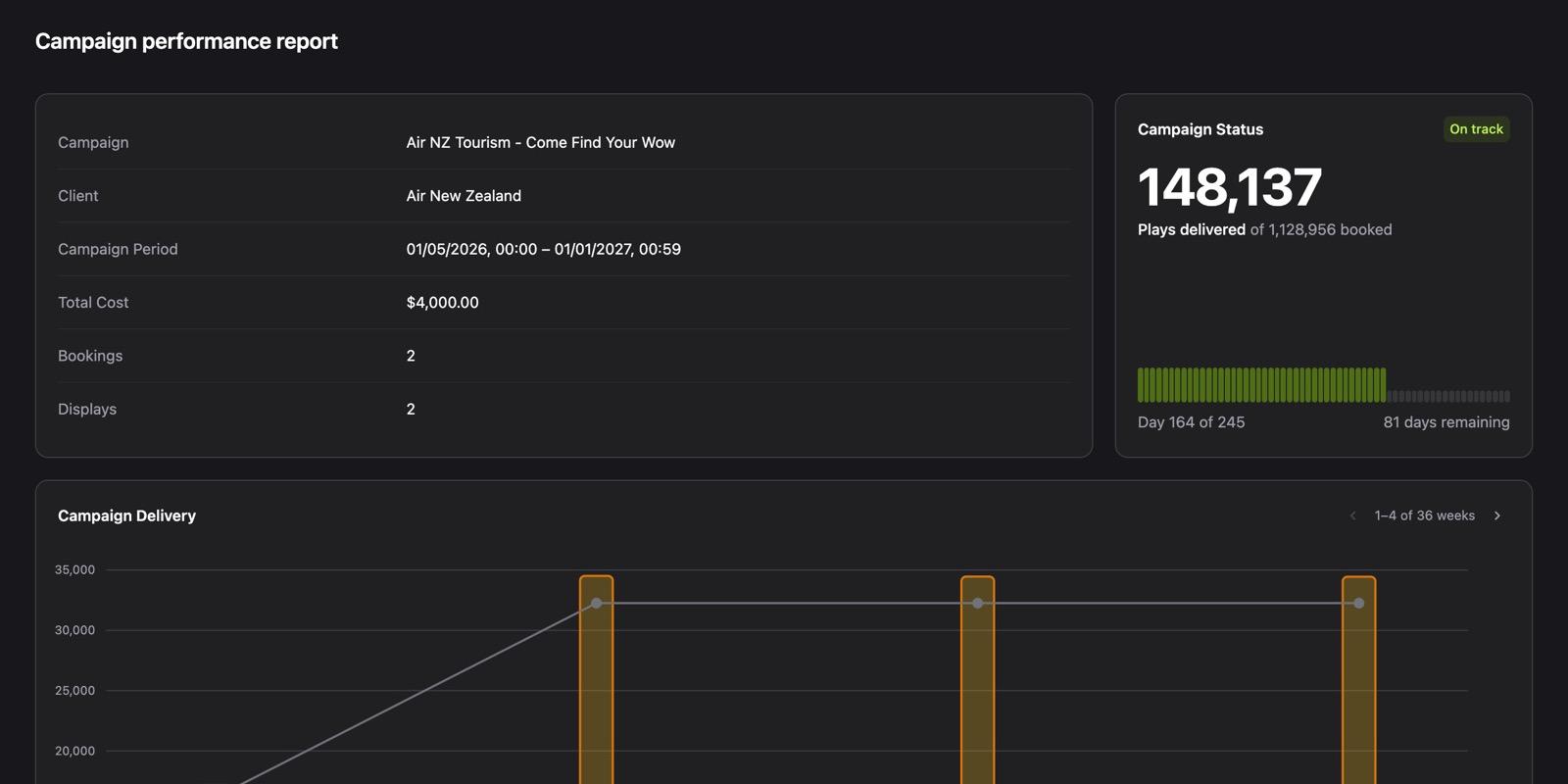
On the Playboard Pro plan, you can create a client share for any campaign. It's a link that opens the campaign's performance report, with no login. The advertiser can open it whenever they want and see:
- Plays delivered against plays booked, and whether the campaign is on track.
- A chart of plays by week.
- A map of the displays their campaign runs on.
- The creatives in the campaign.
They can download the report as a PDF, and dates show in their own time zone. If you need to stop sharing, you revoke the link and it stops working straight away.
Artwork is the other place where self-serve helps. If an advertiser designs in Canva, you can import the design straight into Playboard and sync their changes when you approve them. My Canva guide shows you how. HTML ads go one step further, because they can update their own content. There's more on that in the case study below.
Case study: ads that update themselves
Most ads are an image or a video. One of our customers had an advertiser who supplied their ads as HTML instead. Each ad was a small web page that updated its own content, so the advertiser could change what it showed without sending new artwork.
Supporting this took real work. An HTML ad has to load reliably on a screen that can lose its internet connection, fit the display exactly, and play for the right amount of time in the loop. We worked through it with the customer, and Playboard now supports HTML creatives in three ways:
- Embed HTML. Paste an HTML snippet, including an iframe.
- Embed URL. Point to a public URL where the content is hosted.
- Bundle zip. Upload a self-contained HTML export with an
index.htmlfile at the root.
For screen owners, this opens up a different kind of ad. An advertiser can show live content, for example a countdown, current prices, or the latest offer, and the screen keeps it current with no extra work from you.
How programmatic advertising works
Selling direct is good business, but it depends on your time and your contacts. Programmatic advertising connects your screens to buyers you would not reach on your own, and software handles the buying and delivery.
Here's how it works for DOOH:
- You list your screens. You connect your screens to a supply-side platform (SSP), the software that sells inventory for the screen owner. You give it the location, size, and audience details of each screen, and set your rules, for example a floor price and the ad categories you won't accept.
- Buyers find them. Advertisers and agencies use a demand-side platform (DSP), the software that buys inventory for the advertiser. They choose screens by location, audience, and time of day.
- Your player asks for an ad. When a programmatic slot comes up in your loop, the player asks the SSP for an ad. The buyer with the winning bid or deal gets the slot.
- The ad plays and is counted. The player shows the ad and reports the play. Because many people can see one play, DOOH buyers usually pay per impression, an estimate of the people who saw the ad, not per play.
You don't have to choose between direct and programmatic. You can keep your direct bookings and give programmatic a share of the loop, so it fills the gaps that would otherwise play house content.
There are a few ways to sell programmatically, from an open auction to private deals with buyers you choose. Self-serve platforms are another route. YouDOOH is a good example: advertisers book DOOH screens themselves, without a sales team in the middle. It's worth a look if you want your screens in front of more buyers.
Where Playboard is with programmatic
Playboard doesn't connect to programmatic marketplaces yet. We've started work on it, and I'd like to build it with a real screen owner.
If you want programmatic on your screens, get in touch. We'd like to talk, and we can build this with you.
Wrapping up
The screens are the hard part, and you already have them. Getting more from them comes down to knowing your inventory, making life easy for the people who book it, and opening your loop to more buyers.
If you want to see how Playboard handles this, create a Playboard account. There are no lock-in contracts and no minimum number of devices. If you have questions, get in touch.